Application Allowlisting
Allow only the software you need, and block everything else - including ransomware.


What is Application Whitelisting (Allowlisting)?
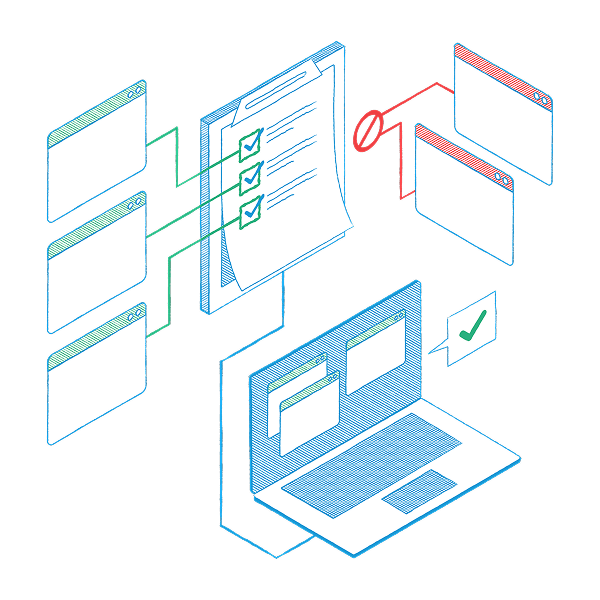
Application Allowlisting, previously known as "Application Whitelisting," works by a simple rule: if it's not expressly permitted, it's blocked. This robust form of access control prevents untrusted software, including all types of malware and ransomware, from running. It's a key part of endpoint security that ensures only specific, safe applications operate on your network.
Why Allowlisting?
Considered a top-tier security strategy, Application Allowlisting gives you control over which software, scripts, and libraries run on your devices and servers. It's more effective than traditional antivirus or EDR solutions. Application Whitelisting blocks not just malicious software but also any unauthorized applications. This greatly reduces the chances of cyber threats and rogue programs affecting your network, protecting your sensitive data.
watch the webinar
How does Application Whitelisting (Allowlisting) work?
Approval process
Going forward, employees can no longer download any application they choose.
Here’s the good news: they can request access for blocked apps via a popup, which your internal IT or the ThreatLocker Cyber Hero team can approve within minutes.
This approach provides full visibility and control over what runs, when, where, and by whom, eliminating shadow IT and unauthorized software.
Learning Mode
When your organization first gets started with ThreatLocker Application Allowlisting, it deploys Learning Mode, which automatically catalogs applications in your firm’s network.
After a few days or few weeks–depending on the size and complexity of your environment–ThreatLocker has a complete inventory of the apps running on every endpoint.
Then comes the transition. ThreatLocker green lights a tailored list of apps, ensuring only trusted software runs. The rest are automatically denied.
The buyer's checklist for Allowlisting
We've compiled this free checklist to make it easy to understand the non-negotiable features that any Allowlisting solution should have.
Eliminate the risk and guesswork of Application Whitelisting
In addition to Allowlisting, ThreatLocker Testing Environment is a powerful tool that allows for risk-assessed approvals that eliminate the guesswork.
The Testing Environment enables administrators to evaluate new applications thoroughly within a virtual desktop infrastructure (VDI). This real-time analysis provides the necessary insight to make informed decisions, enhancing your overall security solutions against malware attacks.
ALLOWLISTING FEATURES

Deny by default
Deny any application from running on your device that is not a part of the allowlist.

Firewall-like policies
A powerful firewall-like policy engine that allows you to permit, deny or restrict application access at a granular level.

Time-based policies
Permit access to applications for a specified amount of time. Automatically block the application after the policy has expired.

Automatic updates
ThreatLocker automatically adds new hashes when application and system updates are released, allowing your applications to update without interference while preventing updates from being blocked.
start Your path to stronger defenses
Get a trial
Try ThreatLocker free for 30 days and experience full Zero Trust protection in your own environment.
Book a demo
Schedule a customized demo and explore how ThreatLocker aligns with your security goals.
Ask an expert
Just starting to explore our platform? Find out what ThreatLocker is, how it works, and how it’s different.